
Apple-Native Fragrance App
Log a wear before you leave.
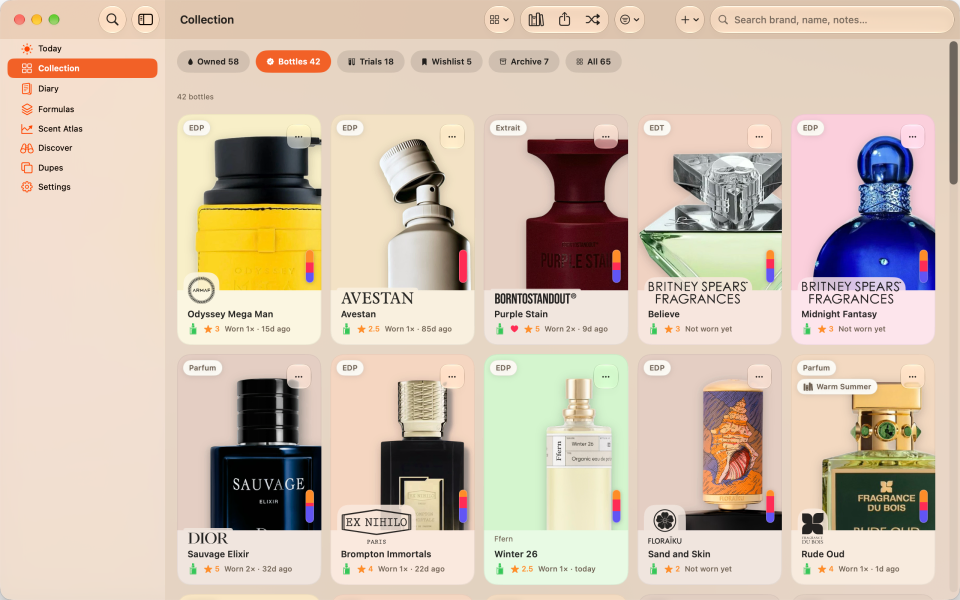
Log a wear quickly, then return to add a photo or browse your collection on a larger screen.

Apple-Native Fragrance App
Orrique is available for iPhone and iPad, with an Apple Watch companion and a native Mac preview. Optional private iCloud sync keeps one journal across devices; the Watch receives updates from its paired phone.
iPhone and iPad are available on the App Store. Request the native Mac preview.
How it works
Choose your storage
Choose local storage or optional private iCloud sync during setup.
Use iPhone and iPad
Use iPhone or iPad for the full journal and camera-based helpers.
Try the Mac preview
Try the native Mac preview for a larger workspace, keyboard shortcuts, and menu bar access.
Log from your wrist
Use Apple Watch, widgets, Siri, and Shortcuts for fast logging.
Included tools
- iPhone, iPad, and Apple Watch support, with native Mac previews.
- Optional private iCloud sync across iPhone, iPad, and Mac through your Apple Account.
- Apple Watch updates through its paired iPhone.
- Widgets, Siri, Shortcuts, Spotlight, and Live Activities.
Does the Watch sync directly through iCloud?
No. The Watch receives journal updates from its paired iPhone. Optional private iCloud sync connects the journal on iPhone, iPad, and the native Mac preview.