
Fragrance Layering And Formulas
Repeat the combination that worked.
Keep the spray counts and application order of a combination you liked, so you can try it again.
Fragrance Layering And Formulas
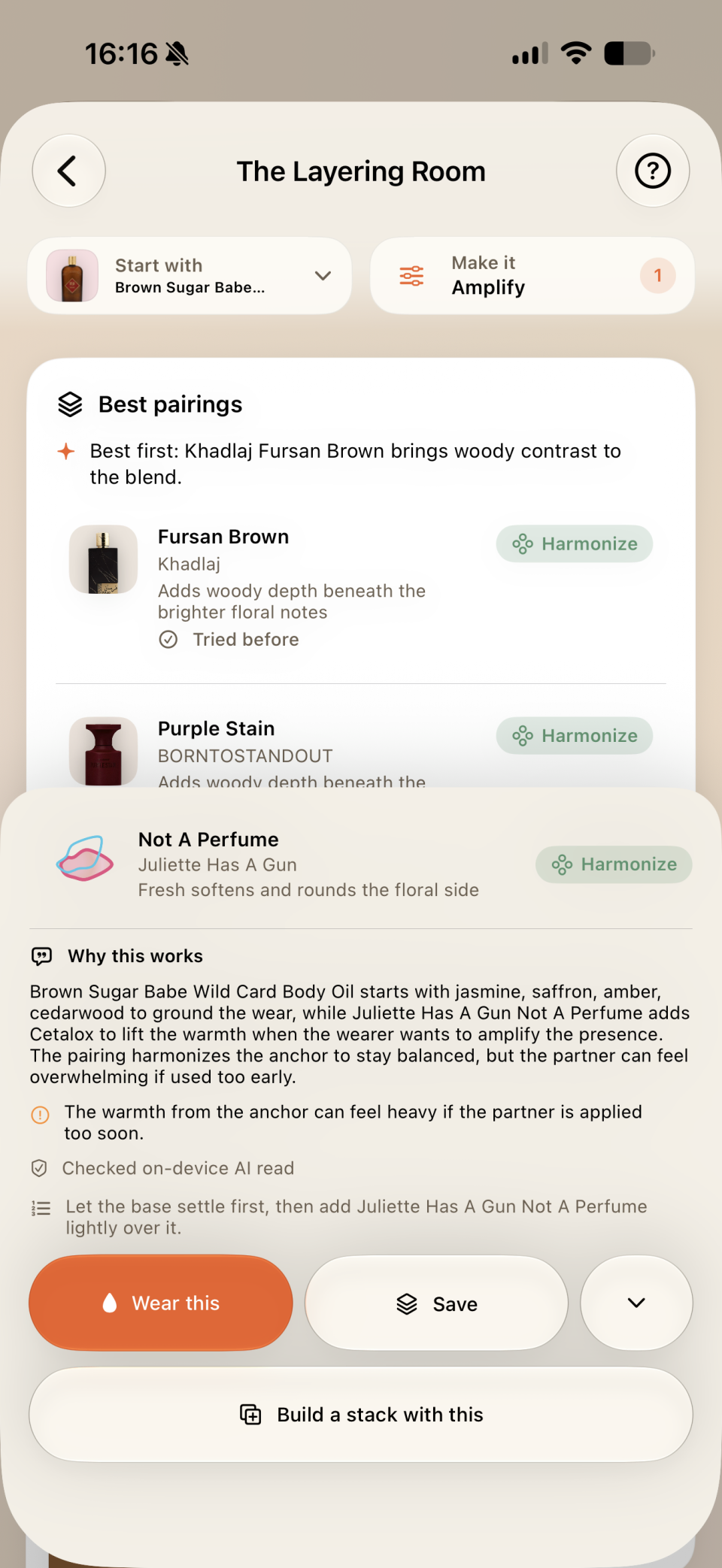
When a combination works, save the fragrances, scent bases, spray counts, and application order. The Layering Room can suggest another bottle from your collection to try with it. Pro adds stack tools and pairing analysis on supported systems.
Generated pairing explanations require Apple Intelligence on a compatible device running iOS 27 or macOS 27. Basic pairing tools and saved formulas work without them.
How it works
Choose your ingredients
Add fragrances and any scent bases you wear under them.
Keep the formula
Build a formula with spray counts, zones, notes, and rating.
Explore a pairing
Choose a starting fragrance in the Layering Room and select the effect you want from a pairing. Pro adds explanations and stack tools.
Wear it again
Log the formula when you wear it, add a rating, and save or share its card.
Included tools
- Saved formulas with fragrance and base layers.
- Layering Room pairing effects from your own shelf.
- Shareable combo cards, with generated Pro pairing reads on supported newer systems.
Do I need Pro to save a formula?
No. Saved formulas and basic pairing tools are free. Pro adds stack tools and written pairing analysis where the device and system support it.